GitHub Universe 2026: The New AI Software Delivery Stack
GitHub's 2026 announcements point to a broader change in developer tools: AI is moving from code completion into planning, review, project coordination, and delivery.
In This Article
This article covers GitHub Universe 2026: The New AI Software Delivery Stack. GitHub's 2026 announcements point to a broader change in developer tools: AI is moving from code completion into planning, review, project coordination, and delivery.
Key Takeaways
- Published: November 2, 2026
- Category: Developer Tools
- Tags: GitHub, AI, Developer Tools, Software Engineering
- Views: 62
- Reading time: ~14 min read
"GitHub's 2026 announcements point to a broader change in developer tools: AI is moving from code completion into planning, review, project coordination, and delivery."
GitHub Universe 2026 matters for more than the individual features announced at the event. The larger signal is that AI developer tools are being repositioned from assistants that suggest code into systems that help coordinate software work from the first idea to the final release. GitHub's official overview describes changes across planning, coding, code review, and delivery.
That direction is important for anyone choosing software in 2026. The best tool may no longer be the one with the most impressive autocomplete demo. It may be the one that keeps requirements, repository context, review evidence, and deployment steps connected without taking control away from the team.
What GitHub announced in October 2026
The official GitHub Universe 2026 announcement presents an expanded Copilot-centered platform. Its message is not simply that models write more code. Instead, GitHub is connecting AI assistance with project planning, repository understanding, review, and repeatable engineering workflows.
This is a meaningful change in product scope. A code suggestion is useful for a few seconds; a connected workflow can affect how a team decides what to build, how it records progress, and how it proves that a change is ready. The second category has more leverage, but it also needs stronger permissions, clearer audit trails, and better human checkpoints.
The shift from code completion to completed work
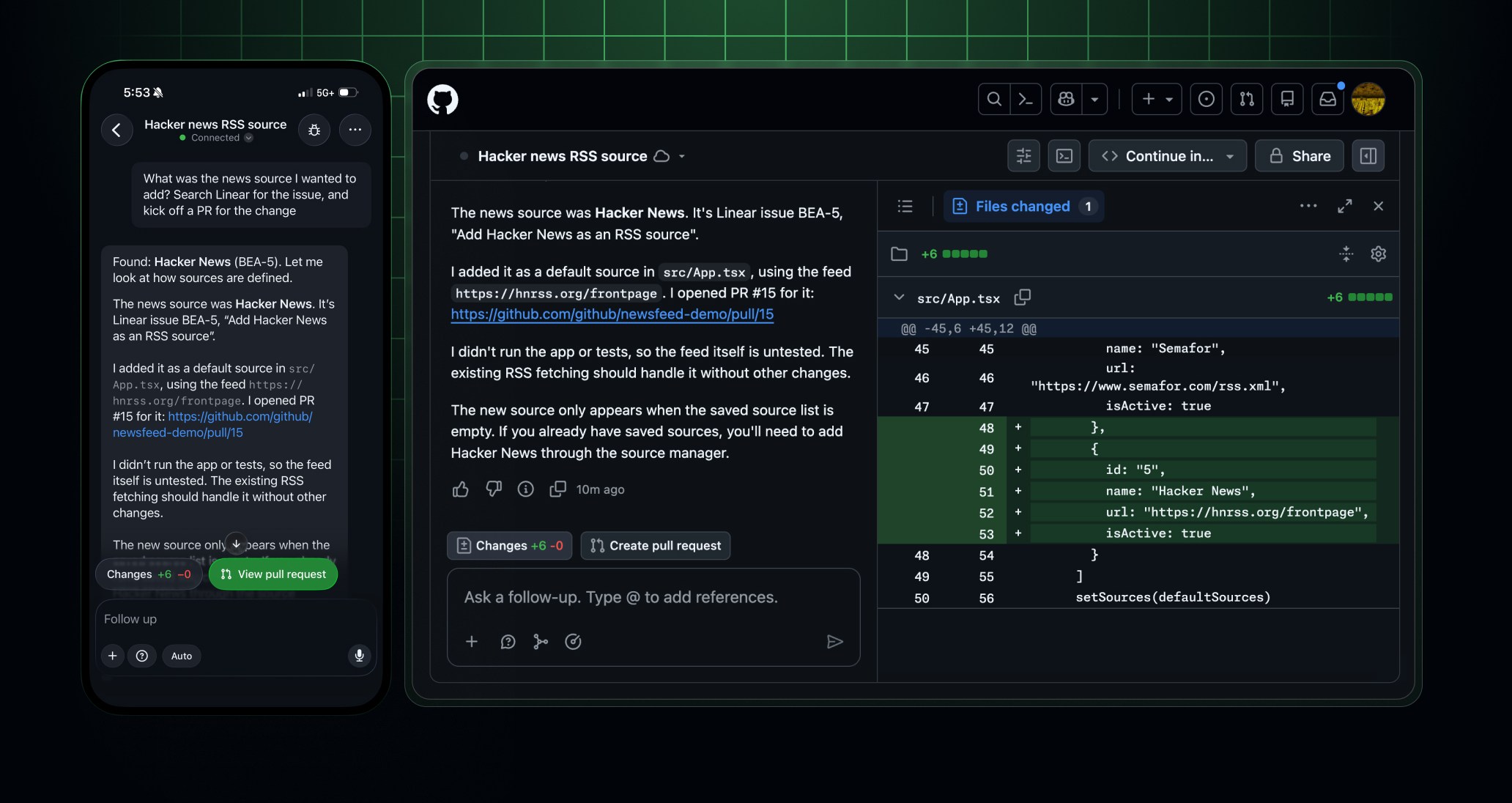
Traditional coding assistants are easy to understand: a developer types a prompt or starts a function, and the assistant proposes the next block of code. Agentic tools operate across a longer task. They may inspect issues, search a repository, modify several files, run tests, summarize a pull request, and ask for approval before a sensitive action.
The advantage is continuity. A developer does not have to restate the same architecture, ticket, and acceptance criteria in several separate tools. The risk is also continuity: an incorrect assumption can travel from a planning note into code and then into review. That means teams should evaluate not only output quality but also how the product exposes context, approvals, logs, and rollback options.
Five practical implications for developers
1. Context becomes a product feature
AI quality depends heavily on what the system can safely see. Repository instructions, issue history, tests, ownership rules, and deployment conventions can make a small model more useful than a larger model with no project context. When comparing tools, ask whether context is explicit, inspectable, and limited to the right repositories.
2. Planning and implementation are converging
When an assistant can turn an issue into a draft plan and then use that plan while editing code, the boundary between project management and coding becomes thinner. This can reduce handoff friction, especially for small teams. It can also make vague tickets more dangerous, because the system may convert ambiguity into a confident but incorrect implementation. Clear acceptance criteria remain essential.
3. Review needs evidence, not just summaries
A generated pull-request summary is convenient, but it is not proof that a change is safe. Stronger workflows connect a summary to changed files, test results, security checks, and unresolved review comments. Teams should prefer tools that let a reviewer trace an AI claim back to concrete repository evidence.
4. Automation should be permissioned in stages
The safest rollout is usually progressive. Start with read-only repository analysis, then allow draft changes in isolated branches, then permit automated tests and pull-request preparation. Production changes, secrets, billing, and destructive operations should remain behind explicit human approval. GitHub's Copilot product page is a useful reference point, but each organization still needs its own permission model.
5. Tool discovery is becoming a workflow problem
Developers now choose among editors, coding agents, issue trackers, testing services, observability tools, and local utilities. A catalog is useful only when it helps people compare the right capabilities for a real task. Readers can browse BTTC software discovery for practical tools, or return to the BTTC technology blog for more explainers.
A simple evaluation checklist
Before adopting an AI development tool, run a small representative task rather than a benchmark-only demo. Give it an issue with incomplete context, a repository with existing conventions, and tests that can fail for meaningful reasons. Measure how often it asks useful questions, how often it changes unrelated files, whether its explanations match the diff, and how easy it is to undo its work.
Also check the operational details. Who can access prompts and repository data? Are model calls logged? Can administrators restrict projects or providers? Does the tool support export if the team changes vendors? Are generated changes clearly labeled? These questions are less exciting than a live demo, but they determine whether the tool is trustworthy at scale.
Why this matters beyond GitHub
GitHub's announcement is one example of a broader market pattern. Software products are adding AI layers that connect documents, structured tasks, code, and execution. The competitive advantage will likely move toward workflow integration and reliable controls rather than isolated text generation.
That does not mean every team needs an autonomous coding agent. For many developers, a focused assistant with strong search, testing, and review support will be more valuable than a system that attempts to manage the entire lifecycle. The right choice depends on task risk, team size, compliance needs, and how much existing process is already documented.
FAQ
The questions below focus on the practical meaning of GitHub Universe 2026 for everyday software work.
Conclusion
GitHub Universe 2026 signals a move from AI that helps write lines of code to AI that participates in connected software delivery. Developers should judge that shift by context quality, review evidence, permission boundaries, and reversibility. The winning workflow will not be the one that removes every human decision; it will be the one that removes repetitive coordination while making important decisions easier to inspect.