GitHub Copilot for JetBrains: Enterprise Governance Checklist for AI Coding Tools
GitHub Copilot for JetBrains now supports enterprise managed settings, a useful signal for evaluating AI coding assistants, MCP access, telemetry, and permission controls.
In This Article
This article covers GitHub Copilot for JetBrains: Enterprise Governance Checklist for AI Coding Tools. GitHub Copilot for JetBrains now supports enterprise managed settings, a useful signal for evaluating AI coding assistants, MCP access, telemetry, and permission controls.
Key Takeaways
- Published: August 19, 2026
- Category: AI Developer Tools
- Tags: GitHub Copilot, JetBrains, AI governance, MCP, developer tools, software selection
- Views: 295
- Reading time: ~16 min read
"GitHub Copilot for JetBrains now supports enterprise managed settings, a useful signal for evaluating AI coding assistants, MCP access, telemetry, and permission controls."
TL;DR
GitHub's August 18 changelog update adds enterprise managed settings for GitHub Copilot in JetBrains IDEs. The headline is not just another editor integration. It is a sign that AI coding tools are becoming managed enterprise software: administrators can govern plugin access, Model Context Protocol servers, OpenTelemetry routing, and agent permission modes across developer workstations. For teams comparing AI assistants or browsing productivity software, the practical question is shifting from "does it generate code?" to "can we control what it connects to, logs, installs, and changes?"
Why this update matters now
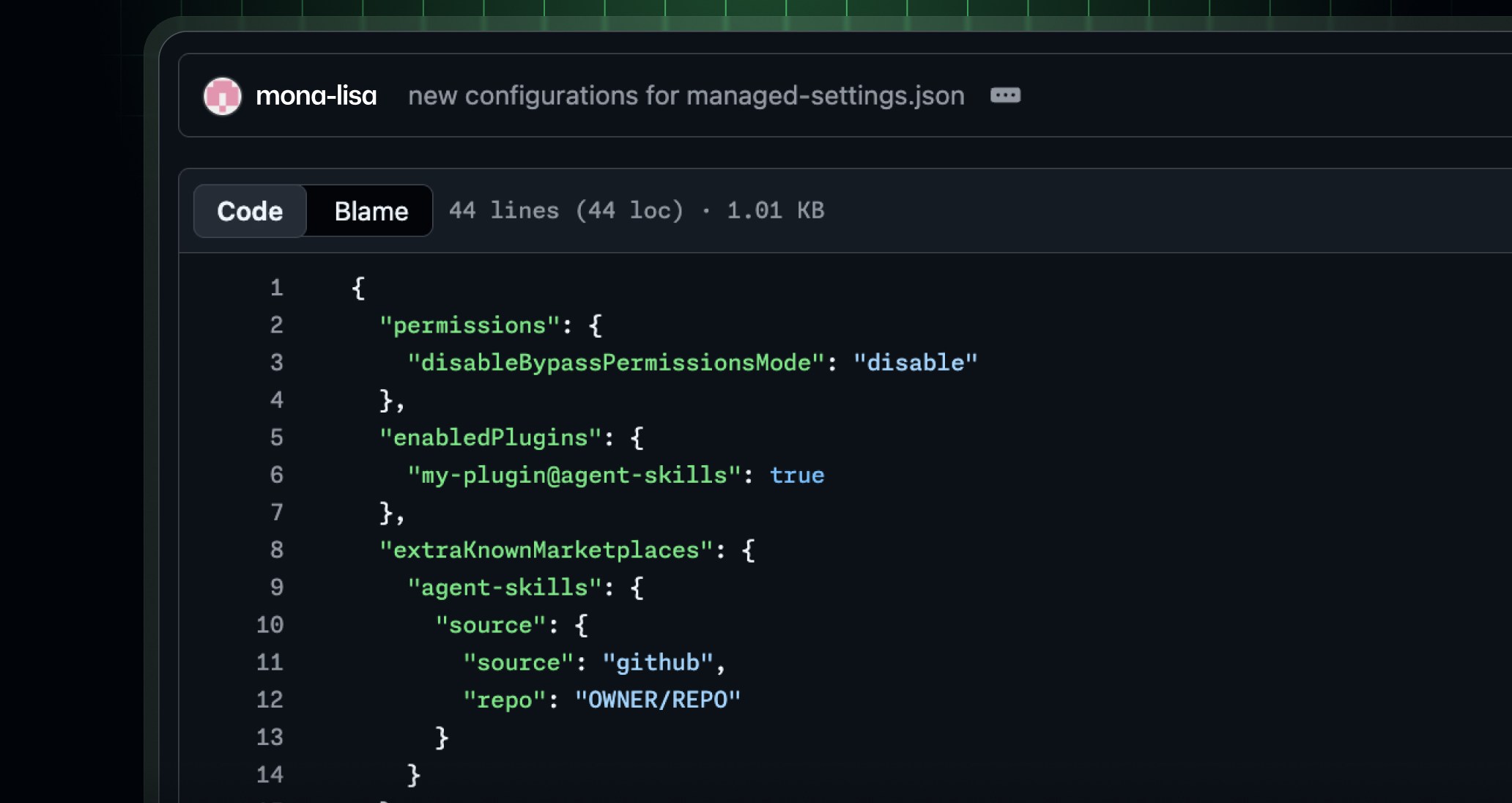
The official GitHub Changelog post says Copilot for JetBrains now supports enterprise managed settings for plugin governance, MCP server access, OpenTelemetry, and permission modes. That matters because JetBrains IDEs are common in Java, Kotlin, Android, Python, and backend teams where developers often run powerful local plugins against private repositories. When an AI assistant can call tools, connect to MCP servers, inspect project context, and suggest changes, unmanaged desktop configuration becomes a real security and compliance boundary.
The update is also timely because AI coding assistants are moving beyond autocomplete. Modern assistants can use agents, external tools, project memories, terminal actions, and multi-step workflows. Those capabilities increase productivity, but they also widen the blast radius of a bad plugin, a leaked prompt, an unapproved telemetry endpoint, or an over-permissive agent mode. Governance has to follow the assistant into every editor where developers actually work.
What administrators can control
GitHub describes several controls that are worth turning into a procurement checklist. First, plugin governance lets administrators require approved plugins, expose extra marketplaces, or restrict installation to trusted marketplaces. That is important for teams that want innovation without letting every workstation become a custom supply-chain experiment.
Second, MCP server allowlists and denylists let administrators decide which external or local tool servers Copilot can reach from JetBrains. MCP is useful because it can connect AI agents to documentation, issue trackers, deployment tools, databases, and internal systems. The same flexibility creates risk if an agent can connect to an unreviewed server. A clear allowlist turns MCP from a shadow integration channel into an auditable software surface.
Third, managed OpenTelemetry settings give organizations a consistent way to route observability data. Instead of each developer choosing a collector endpoint or capture policy, the enterprise can define service names, resource attributes, protocol, endpoint, and content-capture rules. That helps security teams answer basic questions: where did assistant telemetry go, what did it include, and can the data be monitored without exposing sensitive code?
Finally, organization-controlled permission modes can disable bypass approvals or autopilot-style behavior. That is crucial when agents can make multi-file changes. Humans should be able to delegate repetitive work without losing the right to approve risky actions.
How this changes AI software selection
For readers evaluating downloads and developer tools, this release is a useful filter. A serious AI coding tool should explain not only model quality and editor support, but also governance. Before installing a new assistant, check whether it supports central policy, plugin review, marketplace restrictions, MCP server controls, telemetry configuration, data retention disclosure, and auditable permission modes. You can compare broader software categories at BTTC Software, but AI developer tools deserve an extra governance checklist.
This does not mean every small team needs heavyweight enterprise controls on day one. A two-person project may simply need a shared policy for allowed plugins and sensitive repositories. A regulated company may need central configuration, logs, approval gates, and security review before any agent touches production code. The useful lesson is that AI tool choice should include operating model, not just benchmark scores.
A practical rollout checklist
Start with inventory. List the editors your team uses, the AI assistants installed in each one, the plugins enabled, and the external services those tools can reach. Then classify workflows by risk: documentation lookup is lower risk than modifying authentication code or running deployment commands.
Next, define approved sources. Use official marketplaces where possible, pin known plugins, and avoid installing random packages that ask for broad repository or terminal access. For MCP, document every server, owner, data type, and purpose. If a server cannot be explained in plain language, it probably should not be available to an agent.
Then set observation rules. Decide whether telemetry captures prompts, code snippets, file paths, model choices, errors, or only aggregate events. Developers should know what is collected, and security teams should know how to investigate suspicious assistant behavior without turning normal coding into surveillance.
Finally, test the permission model. Ask whether the assistant can edit files, run commands, commit changes, open pull requests, or bypass approvals. Keep high-risk actions behind review gates. If a tool cannot separate suggestion, planning, execution, and approval, it may be too immature for sensitive codebases.
Connecting governance to productivity
The strongest argument for managed AI settings is not fear; it is repeatability. Developers move faster when they know which tools are approved, which data paths are safe, and which actions require review. Administrators spend less time chasing one-off configurations. Security teams get clearer evidence during incidents. Product leaders can adopt AI assistants without creating a hidden patchwork of plugins and private automation.
This pattern also applies outside code. Content pipelines, automation tools, data dashboards, and browser assistants all need visible sources, permission boundaries, and reviewable outputs. If you are exploring AI-enabled utilities, the same questions apply: what can the tool access, what can it change, where does data go, and can a human stop it? For more practical technology explainers, visit the BTTC Blog.
FAQ
Is GitHub Copilot for JetBrains only a developer productivity story?
No. The update is also a governance story because it gives administrators central controls for plugins, MCP servers, telemetry, and agent permissions inside JetBrains IDEs.
What is MCP and why should teams govern it?
Model Context Protocol is a way for AI tools to connect to external capabilities and context. It is powerful, but unreviewed MCP servers can expose sensitive systems or create uncontrolled automation paths.
Should small teams care about enterprise managed settings?
Yes, but proportionally. Small teams may not need a full enterprise policy system, but they should still document allowed plugins, sensitive repositories, and actions that require human review.
Conclusion
GitHub's JetBrains managed settings update is a reminder that AI coding assistants are now operational software. The safest and most useful tools will combine model quality with clear plugin governance, MCP boundaries, telemetry controls, and human approval gates.