GitHub Copilot My Work: A Practical Guide to Managing AI Coding Tasks
GitHub Copilot app’s My work pane shows why AI coding assistants now need task queues, review checkpoints, and visible work management.
In This Article
This article covers GitHub Copilot My Work: A Practical Guide to Managing AI Coding Tasks. GitHub Copilot app’s My work pane shows why AI coding assistants now need task queues, review checkpoints, and visible work management.
Key Takeaways
- Published: August 20, 2026
- Category: AI Developer Tools
- Tags: GitHub Copilot, AI coding, task management, developer tools, agentic workflows
- Views: 273
- Reading time: ~14 min read
"GitHub Copilot app’s My work pane shows why AI coding assistants now need task queues, review checkpoints, and visible work management."
TL;DR
GitHub's new guide to the Copilot app's My work pane points to a practical shift in AI coding: developers are no longer managing one chat at a time. They are juggling several agent sessions, unfinished tasks, review queues, and follow-up decisions. The value of an AI assistant now depends as much on task visibility as it does on code generation. Teams evaluating developer tools should ask whether an assistant can show what is in flight, what is done, and what still needs human review.
Why Copilot task management matters now
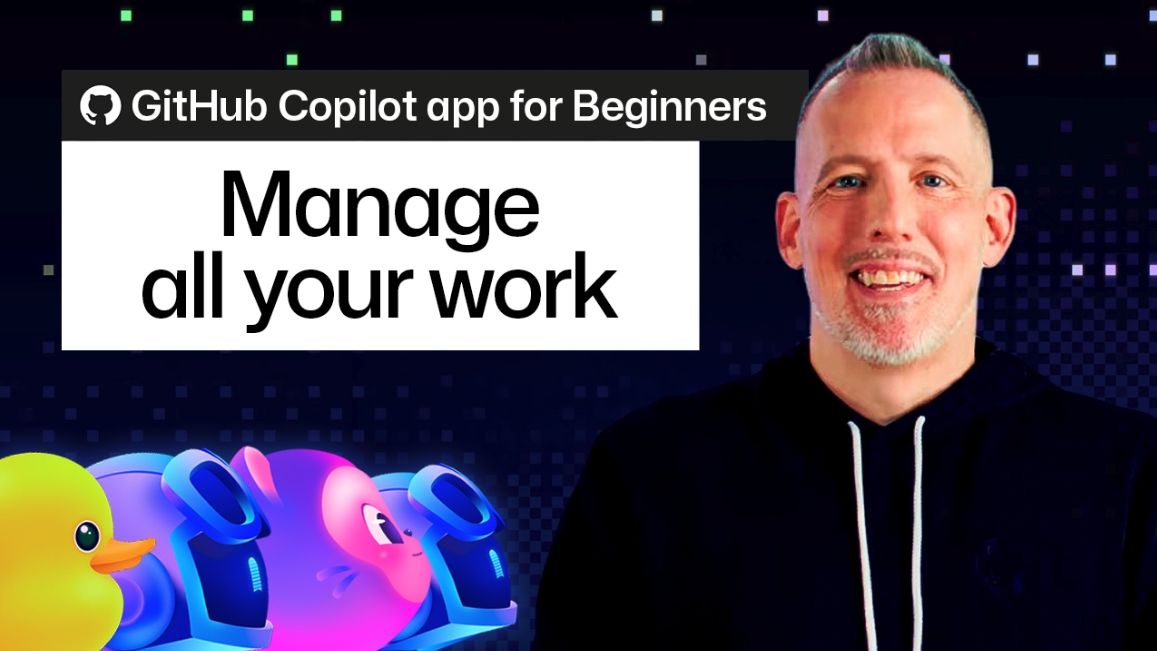
The fresh GitHub Blog article explains that the Copilot app can help beginners manage multiple Copilot sessions through a My work pane. That sounds like a simple interface feature, but it reflects a larger trend: AI assistants are becoming work coordinators, not just answer boxes. A developer may ask one agent to investigate a bug, another to draft a refactor, and a third to summarize a pull request. Without a clean task view, the productivity gain can turn into a maze of half-finished suggestions.
This is especially important for teams adopting agentic coding tools for the first time. Traditional IDE features are synchronous: autocomplete appears, tests run, commits are visible. Agent sessions are different. They can be asynchronous, multi-step, and spread across repositories or issues. A pane that groups active work gives developers a way to inspect progress before trusting output. It also creates a more teachable workflow for beginners who need to learn when to prompt, when to review, and when to stop an agent.
From chat history to work queue
The biggest mental model change is moving from chat history to work queue. Chat history answers the question, "what did I say before?" A work queue answers, "what outcome am I waiting for?" That difference matters when a coding assistant can produce branches, tasks, explanations, and proposed next actions.
For individual developers, a visible work queue reduces context switching. Instead of reopening old conversations or searching browser tabs, they can scan active items and resume the most important one. For team leads, it encourages a healthier review habit: every AI-produced change should have an owner, a status, and a next decision. The tool does not replace code review; it makes review easier to schedule and remember.
What to look for in AI developer software
If you are comparing AI coding assistants or browsing productivity tools in the BTTC software directory, use Copilot's My work concept as a checklist. First, look for visibility. Can the tool show active tasks, completed sessions, blocked items, and pending reviews? Second, look for traceability. Can you connect a generated change back to the prompt, repository, issue, or branch that produced it? Third, look for interruption control. Can you pause, resume, cancel, or archive an agent session without losing the important context?
Also consider how the assistant fits your current stack. A powerful agent that creates hidden work is less useful than a modest assistant that makes each task auditable. The best tool for a small team may be the one that reduces forgotten threads, duplicate investigations, and mystery changes. For more practical software-selection guides, the BTTC blog is a good place to compare workflow patterns before installing another extension.
A workflow beginners can copy
Start with one clearly named task. Instead of asking an AI assistant to "improve the app," ask it to "find why the settings page fails on mobile" or "draft tests for the file upload component." When the session begins, record the expected output: a diagnosis, a patch, a test plan, or a summary. If your tool has a My work-style pane, keep that task visible until you have reviewed the result.
Next, separate exploration from execution. It is reasonable to let an assistant inspect code, summarize options, or propose a plan. It is riskier to let it change many files without checkpoints. A visible task list helps you stop after each phase: investigate, plan, edit, test, review. This keeps the developer in charge while still using AI to accelerate tedious analysis.
Finally, close the loop. When a session finishes, decide whether to apply the change, save the summary, create a follow-up issue, or discard the work. A completed AI task that nobody reviews is not productivity; it is hidden inventory. Treat the work queue like a lightweight kanban board for agent output.
Risks teams should manage
Multi-session AI workflows create new failure modes. Duplicate agents may solve the same problem differently. A stale session may continue from outdated code. A beginner may mistake a confident summary for verified truth. These risks are manageable if teams define simple rules: one owner per AI task, clear names, small scopes, test evidence, and human approval before merging.
There is also a security angle. If an agent can read repositories, call tools, or suggest commands, task visibility becomes part of governance. Teams should know which assistant touched which code path and why. That does not require heavy bureaucracy, but it does require habits that make AI work inspectable.
FAQ
Is the Copilot My work pane only useful for beginners?
No. Beginners benefit because it reduces confusion, but experienced developers also need a reliable way to track multiple asynchronous agent sessions.
Does task management make AI-generated code safer?
It helps, but it is not a replacement for review, tests, and security checks. Task visibility makes it easier to see what an assistant attempted and what still needs verification.
What should I compare before downloading an AI coding tool?
Compare task visibility, repository permissions, review controls, IDE support, pricing, and whether the tool fits your team's existing development workflow.
Conclusion
GitHub's My work guidance is a reminder that the next wave of AI developer tools will be judged by workflow quality, not only model power. Assistants that make work visible, reviewable, and easy to resume will be more useful than assistants that simply generate more output. Before adopting a new AI tool, ask how it helps you manage the work after the prompt.