Windows Hybrid Intelligence: What Microsoft Execution Containers Mean for AI Software
Microsoft is making Windows a more controlled home for AI agents. Learn how execution containers, local models, and cloud routing change the way users should evaluate AI software.
In This Article
This article covers Windows Hybrid Intelligence: What Microsoft Execution Containers Mean for AI Software. Microsoft is making Windows a more controlled home for AI agents. Learn how execution containers, local models, and cloud routing change the way users should evaluate AI software.
Key Takeaways
- Published: October 22, 2026
- Category: AI and Developer Tools
- Tags: Windows, AI agents, Microsoft Execution Containers, local AI, developer tools, software security
- Views: 49
- Reading time: ~20 min read
"Microsoft is making Windows a more controlled home for AI agents. Learn how execution containers, local models, and cloud routing change the way users should evaluate AI software."
TL;DR
Microsoft's October 7, 2026 Windows announcements point to a practical change in how AI software will run on PCs. Instead of treating an agent as an ordinary application with the user's full desktop access, Windows is adding policy-driven execution boundaries through Microsoft Execution Containers (MXC). At the same time, Microsoft's hybrid-intelligence design routes work between local models and cloud services based on capability, privacy, performance, and cost. The result is not simply “AI on Windows.” It is a more managed way to let software act on a user's behalf.
What Microsoft is actually changing
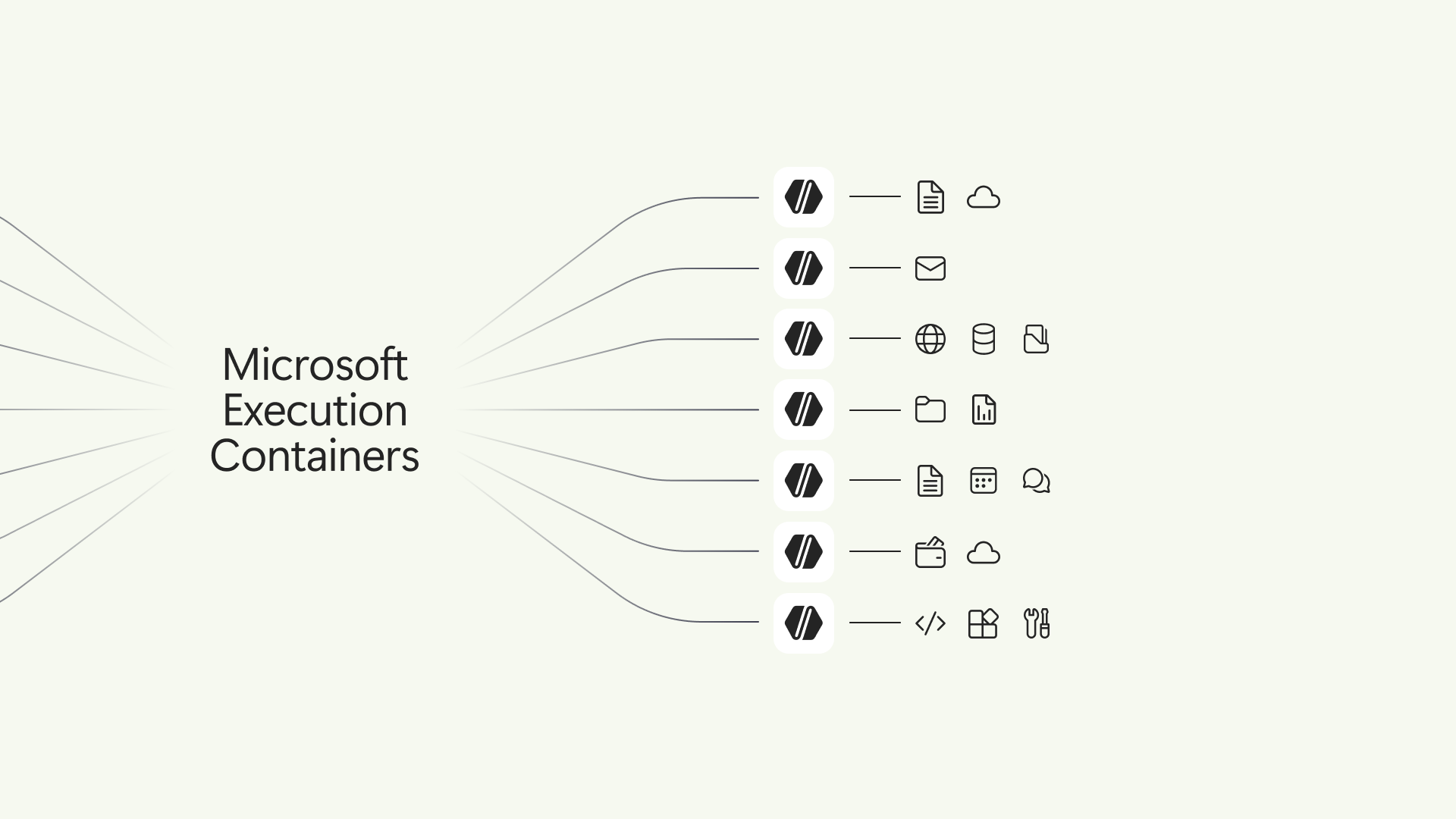
The key announcement is Microsoft's general availability of MXC on Windows 11. According to the Windows Developer Blog, developers and IT administrators can define resources an agent may use, including files and network destinations, while the container enforces those policies at runtime. Microsoft describes the broader security model with three layers: containment, identity, and manageability.
That distinction matters because agents behave differently from conventional desktop applications. A normal app usually follows a predictable code path. An agent can interpret a prompt, choose tools, generate commands, inspect results, and continue working. Giving it unrestricted access is therefore more like handing an employee a master key than installing a calculator. The model may be helpful, but it should not be the authority that decides its own permissions.
MXC addresses that problem by moving the boundary outside the model. A coding agent might be allowed to read and write one repository, use a build tool, and reach a package registry, while being blocked from production credentials, unrelated folders, or arbitrary network destinations. If a prompt, plug-in, or generated command tries to exceed the policy, the execution environment can reject the operation.
Hybrid intelligence makes local and cloud AI work together
Containment solves one half of the problem: where an agent is allowed to act. Microsoft's hybrid-intelligence plan addresses the other half: where computation should happen. The Windows Experience announcement describes intelligent routing, capable local models, and a performance runtime that can choose local or cloud execution for a task.
This is useful for more than marketing. Local inference can reduce latency, keep sensitive context on the device, and avoid sending every interaction to a metered service. Cloud models can still provide more capability for difficult tasks. A sensible router can use a small local model for classification or summarization, then escalate only when the task needs a larger model or external knowledge.
The trade-off is that “local” does not automatically mean private or safe. A local agent can still read too many files, modify the wrong project, or expose information through an extension. A cloud agent can be well-contained if its permissions are narrow, while a local agent can be risky if it runs with the user's unrestricted identity. The important question is not only where the model runs, but which resources the entire workflow can reach.
Why execution containers matter to software buyers
For everyday users, MXC may first appear as an invisible security feature. Its value becomes clearer when software can perform multi-step actions: organize files, edit documents, run scripts, update a codebase, or coordinate several tools. The more useful an agent becomes, the more important it is to know what it can touch and how to stop it.
When comparing AI utilities, look for permission controls, visible activity logs, reversible actions, and a clear way to pause or revoke access. Read whether the product works with selected folders or the entire home directory. Check whether network access is optional, whether credentials are isolated, and whether the vendor explains what is recorded. The BTTC software catalog can help readers discover productivity, development, and security tools, but official documentation should remain the final authority for permissions and data handling.
This is also a quality signal for non-AI software. A product that clearly documents its sandbox, storage model, and update path is easier to trust than one that simply promises an autonomous experience. As agents become a normal software category, security boundaries will become part of product comparison rather than a specialist concern.
What developers should test before adopting an agent
Start with a narrow policy. Give the agent only the repository or folder it needs, allow the smallest useful set of network destinations, and keep production credentials outside the first experiment. Then test both successful and forbidden actions. A good boundary should allow the intended build, test, and file-edit workflow while reliably rejecting access to unrelated data.
Next, inspect identity and evidence. Microsoft says its platform direction is intended to distinguish agent activity from human activity and connect controls to management tools such as Intune and Agent 365. In practice, teams should ask whether logs show which agent acted, which policy applied, what tool was invoked, and what changed afterward.
Finally, test failure recovery. Stop the agent during a long task, revoke a permission, disconnect the network, restore a previous version, and repeat the workflow after an update. For local models, measure memory use, latency, battery impact, and the quality difference between local and cloud routing. For cloud models, measure cost, data residency, and behavior when the service is unavailable.
Microsoft's recent WSL containers release also shows why the execution layer matters beyond one Windows app. Developers are increasingly combining Linux containers, local AI workloads, Windows tools, and cloud services. A consistent policy model can make those boundaries easier to reason about, but compatibility still needs to be tested per agent and per workload.
The larger shift: software is becoming intent-driven
Microsoft's announcement fits a wider movement described by GitHub's October 15, 2026 discussion of ambient intelligence. Interfaces are moving from commands toward outcomes: a person describes a goal, an agent plans actions, tools execute them, and the user reviews evidence. That can remove friction, but it also changes what “using software” means.
The best experience will not be the agent with the most autonomy. It will be the one that combines useful initiative with understandable limits. Users need to know when a task is local or cloud-based, what data is available, what actions require approval, and how to undo the result. Developers need portable context, repeatable policies, testable tools, and logs that explain decisions without pretending the model is deterministic.
FAQ
What are Microsoft Execution Containers?
Microsoft Execution Containers (MXC) are a policy-driven execution layer for AI agents. Developers and administrators define resources such as files and network destinations, and the runtime enforces those boundaries instead of relying on the model to follow instructions perfectly.
Does running an AI model locally make it safe?
No. Local execution can improve latency and reduce data transfer, but the agent may still have excessive file, network, or credential access. Safety depends on the full execution boundary, policy, identity, monitoring, and recovery process.
Will MXC replace normal Windows sandboxes?
Not necessarily. Microsoft presents MXC as a set of containment options for agent workloads, including process and session isolation and integrations with other Windows environments. The right boundary depends on the agent, the data, and the required level of isolation.
What should a small team do first?
Choose one low-risk workflow, restrict access to a test repository or folder, remove production credentials, record the expected actions, and test forbidden operations before allowing the agent to work on important data.
Where can I compare software for AI and developer workflows?
The BTTC software catalog is a starting point for discovering related productivity, development, and utility software. Verify security, compatibility, pricing, and permissions on each product's official site before installing it.
Conclusion: autonomy needs a boundary
Windows hybrid intelligence is more interesting than a faster chatbot because it combines model routing with an operating-system-level execution story. MXC gives agents a place to work and a policy that defines what they may touch; local models and cloud routing determine how computation is delivered. Together, these ideas make agentic software more practical, but they do not eliminate the need for judgment. Start with narrow permissions, test the boundary, preserve evidence, and choose tools whose limits are as clear as their capabilities.