Google Connected Apps in Search: A Practical Guide for Productivity and Privacy
Google's connected apps update makes Search more personal by surfacing information from services like Gmail, Drive, and Calendar. Here is how it works, why it matters, and how to use it safely.
In This Article
This article covers Google Connected Apps in Search: A Practical Guide for Productivity and Privacy. Google's connected apps update makes Search more personal by surfacing information from services like Gmail, Drive, and Calendar. Here is how it works, why it matters, and how to u...
Key Takeaways
- Published: July 22, 2026
- Category: Productivity Technology
- Tags: Google Search, Productivity, Privacy, AI Tools, Software
- Views: 364
- Reading time: ~15 min read
"Google's connected apps update makes Search more personal by surfacing information from services like Gmail, Drive, and Calendar. Here is how it works, why it matters, and how to use it safely."
TL;DR
Google's new connected apps experience lets Search answer more personal productivity questions by drawing on information from apps such as Gmail, Google Drive, and Google Calendar when a user has connected those services. The idea is simple: instead of opening three different apps to find a flight confirmation, a meeting note, or a shared file, Search can become a single starting point. The opportunity is real, but so is the need for careful permission hygiene. Users should connect only the services they trust, review what is enabled, and pair search convenience with dedicated tools from trusted software catalogs such as BTTC Software.
What Google announced
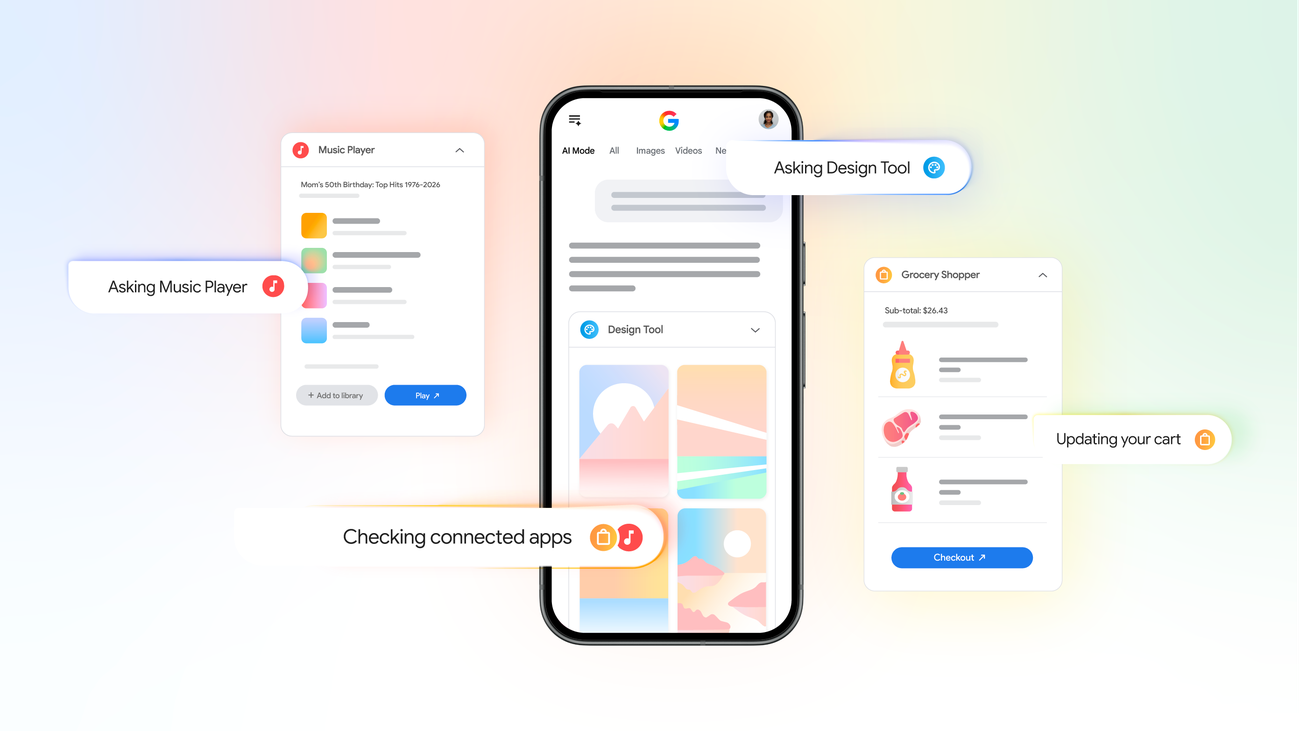
Google announced that Search can now connect with more of a user's apps, starting with Google's own productivity ecosystem. In the official Google Blog post, the company describes a way for people to ask Search questions that depend on information stored in connected services, rather than only information available on the public web. A traveler might ask about an upcoming trip and see relevant details from Gmail and Calendar. A worker might look for a document and get a Drive result without first opening Drive.
This is part of a larger shift in consumer technology: search is becoming less like a list of links and more like a command center for personal information. AI assistants, browser sidebars, desktop launchers, and mobile widgets are all competing to reduce the number of small clicks between a question and an answer. Connected apps bring that same expectation to the search box people already use every day.
Why it matters for everyday productivity
The obvious benefit is speed. Most people now store important details across mailboxes, calendars, cloud drives, notes apps, chat apps, password managers, and project tools. Even when everything is searchable, it is rarely searchable from one place. Connected app search can reduce context switching, which is one of the biggest hidden costs in modern work.
It also changes the way people choose software. Apps that create clear, structured data become more useful when a search layer can understand them. A calendar entry with a good title, a Drive folder with meaningful names, or a receipt saved in a predictable place becomes easier to retrieve later. That means productivity is no longer only about having more apps; it is about choosing apps that fit a searchable workflow. If you are comparing utilities for documents, media, file cleanup, or mobile productivity, the BTTC blog and software directory can help you find tools that complement your main cloud accounts instead of adding more clutter.
Privacy and permission questions to ask
Connected apps require trust. Search cannot surface private app information unless access is granted somewhere in the account experience, and users should treat that access as a meaningful permission. Before connecting a service, ask three questions: what data can be searched, where will the result appear, and how can the connection be revoked?
The safest habit is to enable only the accounts and apps that provide a clear daily benefit. For example, connecting a work calendar may be useful if you constantly search meeting details, but connecting an account full of sensitive client documents may deserve more caution. Users should also revisit connected services after changing jobs, switching devices, or sharing a family computer. Convenience should not become a permanent permission nobody remembers granting.
How to use connected app search well
Start with narrow, practical queries. Instead of asking a vague question such as "what is my plan," try queries that include a recognizable date, sender, file name, destination, meeting title, or project name. Good connected-search queries look like natural language, but they still benefit from specific clues.
Second, keep your source apps organized. Search is powerful, but it is not magic. Descriptive file names, consistent folders, calendar locations, and email labels make results more reliable. Third, separate personal and professional accounts where possible. A single search layer is useful, but mixed accounts can create confusing or risky results, especially on shared screens.
Finally, combine connected Search with purpose-built software. Search helps you find information; specialized apps help you edit PDFs, manage downloads, process media, secure files, or clean storage. When the task moves from finding to doing, visit BTTC Software to discover utilities that can finish the workflow.
What this signals about AI search
Connected apps are also a signal about the direction of AI search. Public web answers are only one layer. The next competitive layer is personal context: your files, your schedule, your inbox, your preferences, and your devices. That makes AI search more useful, but it also makes transparency more important. People need to know which source produced an answer, whether the source was public or private, and how to disconnect it.
For publishers and software makers, the lesson is clear: structured, trustworthy content wins. Documentation, FAQs, product pages, and comparison tables should be easy for both humans and AI systems to interpret. Users will increasingly ask assistants which tool to use, how to solve a file problem, or where to download a safe utility. Sites that explain their tools clearly will be easier to recommend.
FAQ
What are connected apps in Google Search?
Connected apps are services that a user authorizes so Search can surface relevant information from them. In Google's example, that can include productivity data from Gmail, Drive, Calendar, and related Google services.
Does connected app search replace opening apps?
No. It is best understood as a faster discovery layer. Search can help you find the right message, file, or event, but you may still open the original app to edit, share, download, or manage the item.
Should I connect every app I use?
Probably not. Connect apps only when the benefit is clear, review permissions regularly, and disconnect services you no longer need. Sensitive work accounts deserve extra caution.
How does this help with software discovery?
As search becomes a productivity hub, users will look for tools that fit into specific workflows. A directory such as BTTC Software is useful when you need a dedicated app after Search helps identify the file, task, or problem.
Conclusion
Google's connected apps update is a practical step toward search that understands both the web and a user's personal workspace. Used carefully, it can save time and reduce app switching. Used carelessly, it can create permission sprawl. The best approach is balanced: connect only high-value services, keep accounts organized, review privacy settings, and rely on trusted software tools when the next step requires real action.