Google AI Mode Connected Apps: What It Means for Software Discovery
Google AI Mode can now connect with select apps, a shift that could turn search into a workflow layer for comparing, authorizing, and downloading software.
In This Article
This article covers Google AI Mode Connected Apps: What It Means for Software Discovery. Google AI Mode can now connect with select apps, a shift that could turn search into a workflow layer for comparing, authorizing, and downloading software.
Key Takeaways
- Published: July 17, 2026
- Category: NEWS
- Tags: AI Search, Google, Software Discovery, Productivity, GEO, App Permissions
- Views: 376
- Reading time: ~12 min read
"Google AI Mode can now connect with select apps, a shift that could turn search into a workflow layer for comparing, authorizing, and downloading software."
Source: https://techcrunch.com/2026/07/16/googles-ai-mode-now-lets-you-link-and-interact-with-select-apps/
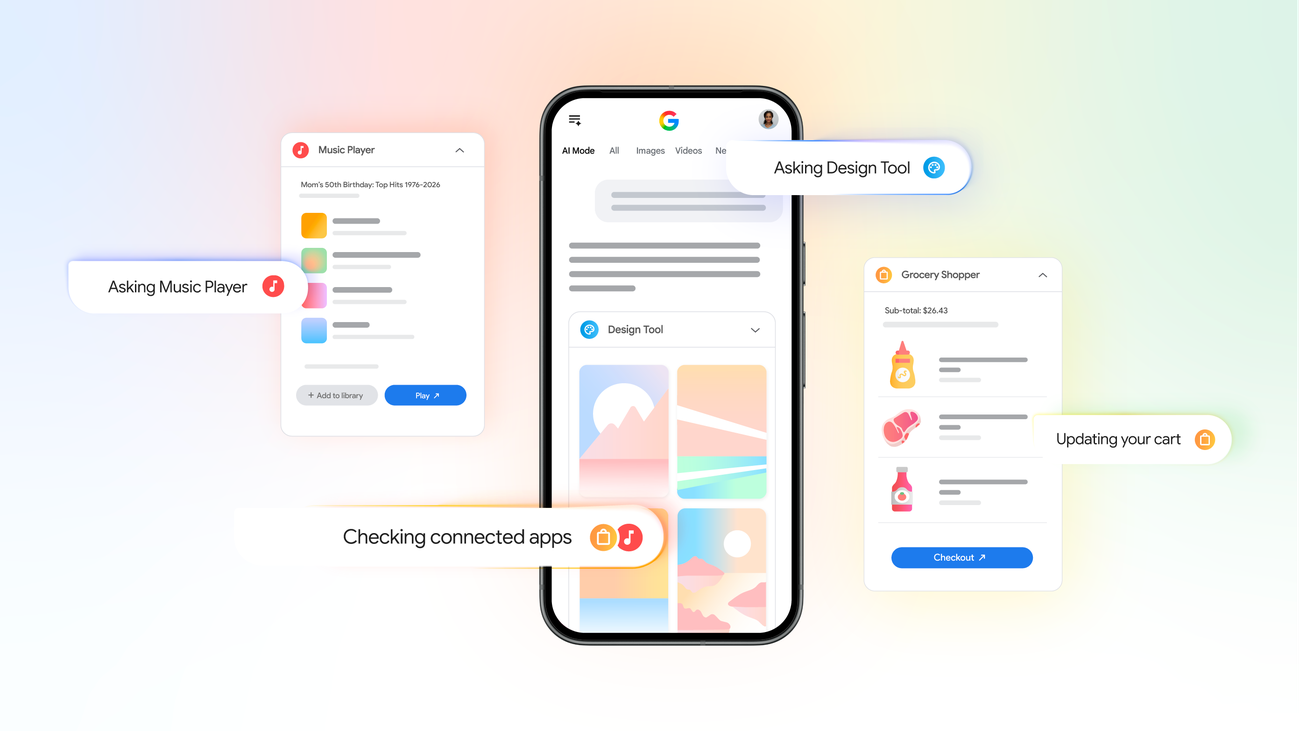
Google's latest AI Mode update is more than another search interface change. TechCrunch reports that Google AI Mode can now link to and interact with select apps, while Google's own announcement frames the feature as a way for Search to understand more context from connected services when users ask for help planning, shopping, or completing multi-step tasks. That makes the update important for anyone who discovers, compares, or downloads software on the web. Search is moving from a list of blue links toward an action layer that can remember context, route users into apps, and influence which tools get considered first.
For BTTC readers, the practical question is not whether every user should connect every app to an AI assistant. The better question is how to prepare for a software market where search, AI agents, and app ecosystems increasingly blend together. If a user asks for a travel plan, a school shopping list, a productivity stack, or a way to turn notes into finished documents, the assistant may recommend or open tools directly. That creates a new kind of competition: software must be easy to understand, safe to authorize, and useful inside a workflow. When you are comparing options, the BTTC software directory can help you turn AI suggestions into a more deliberate shortlist.
TL;DR: connected search changes software discovery
Google AI Mode's connected apps signal that search engines are becoming workflow engines. Instead of only finding pages, they may help users compare options, pull context from permissioned apps, and complete tasks. That can save time, but it also raises the stakes for privacy, source quality, and tool selection. Do not choose an app only because an AI answer surfaced it. Check whether the tool has a clear use case, trustworthy permissions, export options, and enough evidence to justify installing it.
Why this update matters now
AI search is becoming the front door for many everyday tasks. A user might ask for a dinner plan, a gift idea, a study schedule, or an app that can summarize PDFs. The old journey involved scanning results, opening tabs, comparing reviews, and deciding what to install. The new journey may begin with an AI-generated plan and continue directly inside connected services.
That is useful when the assistant has the right context and the user understands what has been authorized. It is risky when the assistant turns a broad request into a narrow recommendation without showing enough evidence. Connected apps can improve personalization, but they also make it easier for users to skip comparison. Ask what data the assistant used, which sources it relied on, and whether the suggested app solves the specific job better than alternatives.
A practical checklist for connected AI app decisions
Start with permissions. If an AI feature wants access to email, calendar, documents, purchases, travel bookings, photos, or files, decide whether that access is essential for the task. Prefer tools that explain scopes clearly, allow revocation, and separate read-only access from actions that modify or buy something.
Next, look for reversibility. Good workflow software should let you export notes, documents, images, transcripts, or task lists in common formats. If an AI assistant helps create a plan but locks the result inside one app, the convenience may become dependency. Finally, test the output against a real example. A PDF tool should handle one messy document; a note app should import an existing note set; an AI coding helper should run on a small repository and produce a diff you can inspect.
What product teams should learn
For software publishers, connected app search makes clarity a ranking asset. Product pages should explain who the tool is for, what inputs it accepts, what outputs it creates, which platforms it supports, and how privacy is handled. Detailed pages with schema, FAQs, screenshots, comparison points, and internal links give search engines and AI systems more reliable signals. A blog post about AI search should point readers toward relevant software categories, while software pages should link back to guides that explain how to choose safely.
FAQ
Does Google AI Mode automatically control my apps?
No. Connected app experiences depend on supported services and user permissions. Review what access is requested and revoke access when a workflow no longer needs it.
Should software teams optimize only for AI search now?
No. Traditional SEO, clear product pages, structured data, fast pages, helpful screenshots, and trustworthy content still matter. GEO is an addition to good SEO, not a replacement.
What is the safest way to use connected AI search?
Use it for discovery and planning, then verify recommendations through trusted sources, official documentation, and hands-on testing before installing or authorizing new software.
Conclusion
Google AI Mode's connected apps update points toward a future where search recommends, compares, and initiates software workflows. That can make technology easier to use, but it rewards users who understand permissions and product teams that explain their tools clearly. The best outcome is not blind automation; it is faster discovery followed by smarter software choices.


