Gemini Managed Agents API: Why Background Tasks and Remote MCP Matter
Google expanded Managed Agents in the Gemini API with background execution, remote MCP, custom functions, and credential refresh. Here is what it means for production AI agent workflows.
In This Article
This article covers Gemini Managed Agents API: Why Background Tasks and Remote MCP Matter. Google expanded Managed Agents in the Gemini API with background execution, remote MCP, custom functions, and credential refresh. Here is what it means for production AI agent work...
Key Takeaways
- Published: July 14, 2026
- Category: AI Developer Tools
- Tags: Gemini API, AI agents, MCP, developer tools, automation
- Views: 545
- Reading time: ~17 min read
"Google expanded Managed Agents in the Gemini API with background execution, remote MCP, custom functions, and credential refresh. Here is what it means for production AI agent workflows."
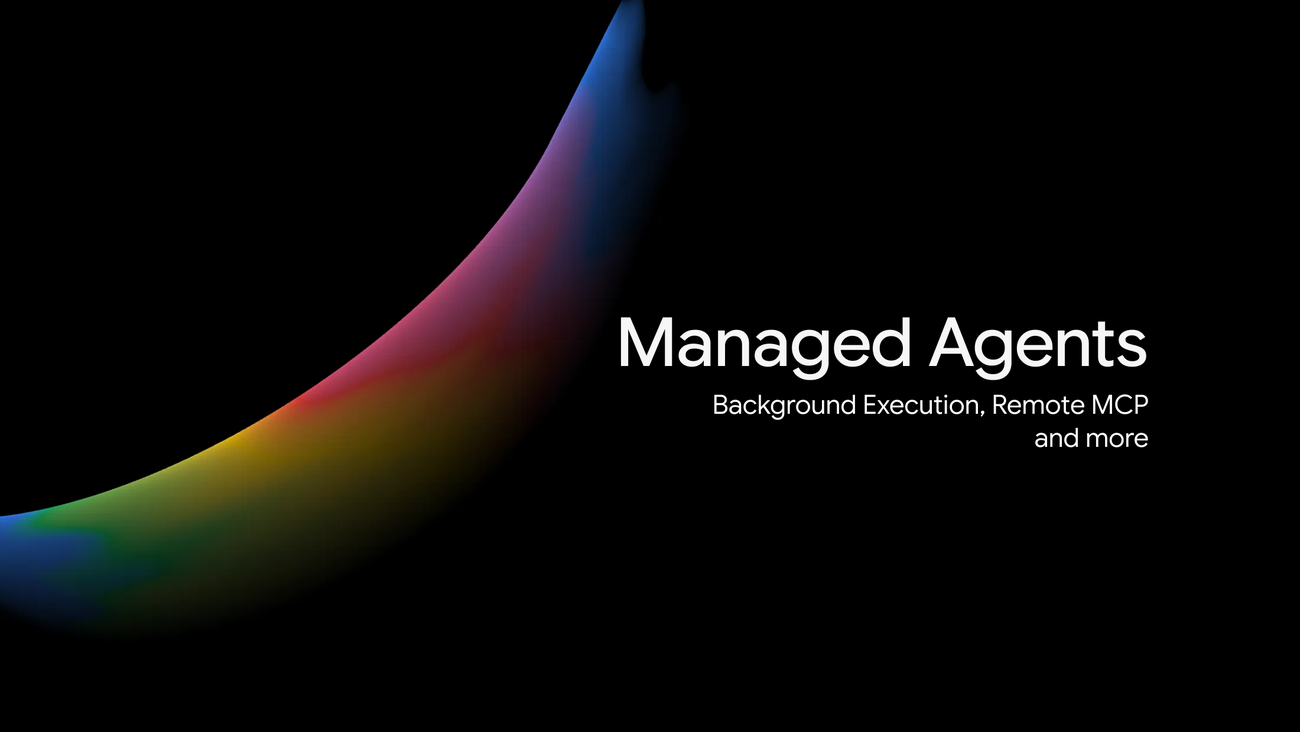
Google's latest Managed Agents update for the Gemini API is more than another developer announcement. It is a useful signal about where production AI tooling is heading: long-running agent work, safer tool connections, and resumable cloud environments that do not force users to keep a browser tab or HTTP request alive. In Google's announcement, Managed Agents gained background execution, remote Model Context Protocol (MCP) server integration, custom function handoffs, and credential refresh across interactions. For teams evaluating AI developer tools in 2026, those features map directly to the problems that usually stop prototypes from becoming reliable products.
The official Google Developers Blog post describes Managed Agents as part of the Gemini Interactions API, where a single endpoint can coordinate reasoning, code execution, package installation, file management, and web information inside an isolated cloud sandbox. That matters because many agent demos look impressive when the task is short, but fail under real workloads: repositories need dependencies installed, tests take time, credentials expire, and internal systems must be accessed carefully. If you are comparing automation tools, also browse the BTTC software discovery hub for practical utilities that can complement agent workflows.
Why background execution is the feature to watch
Traditional request-response apps are not designed for agent jobs that take minutes. Holding an HTTP connection open while an agent clones a repository, installs packages, reads docs, patches files, and runs tests is fragile. Networks drop, serverless platforms time out, and users lose confidence when progress disappears. Background execution changes the shape of the application. A client can start an interaction, receive an ID, then poll status, stream progress, or reconnect later while the remote agent continues working.
For product teams, that unlocks more realistic UX patterns. A support dashboard could ask an agent to analyze a bug report and return when the reproduction is complete. A developer portal could request a migration plan and notify the user after dependency checks finish. A content operations tool could ask an agent to audit pages, collect screenshots, and prepare a report without blocking the editor. In each case, the agent becomes a managed worker rather than a chat response that must finish immediately.
Remote MCP makes agents easier to connect to real tools
The second important update is support for remote MCP servers. MCP has become a common way to expose tools, data, and actions to AI agents through a structured protocol. Instead of building one-off proxy middleware for every database, internal API, or project system, teams can expose selected capabilities through MCP and let the agent call them from a controlled environment.
This is especially valuable for organizations that already have a messy mix of SaaS tools, internal dashboards, and private APIs. A managed agent can combine built-in capabilities such as code execution or search with a remote MCP tool that reads a ticket, queries a documentation index, or checks an internal status endpoint. The key is to keep the boundary narrow: expose the smallest useful actions, log tool calls, and treat MCP servers as production integration surfaces rather than experimental toys.
Custom functions keep business logic local
Google's update also highlights custom function calling. In practice, not every action should run inside a remote sandbox. Payments, customer records, approval workflows, and sensitive account operations often need to stay inside your application. A custom function handoff lets the model decide that a local action is required, then pause the interaction so the client can execute approved business logic.
That pattern is healthier than giving an agent broad credentials and hoping prompt instructions are enough. The agent can reason about the task, but the application remains responsible for authorization, validation, rate limits, and audit trails. For builders, this means a production agent architecture should include both remote sandbox tools and local deterministic functions.
Credential refresh solves a common reliability problem
Short-lived tokens are a security best practice, but they create friction for long-running agents. If a token expires halfway through a job, the agent may fail even though the user did nothing wrong. Credential refresh across interactions is therefore a reliability feature, not just an authentication detail. Google's description suggests developers can pass an existing environment ID with updated network configuration, while preserving sandbox state such as installed packages, cloned repositories, and files.
That is exactly the kind of operational detail that separates a demo from a durable workflow. When a task spans multiple steps, preserving state while rotating credentials can reduce wasted compute, repeated setup time, and user frustration.
Practical checklist for teams evaluating managed agents
If you are deciding whether Gemini Managed Agents, GitHub Copilot-style workflows, or another agent platform belongs in your stack, evaluate the platform against a few practical questions:
- Can jobs continue safely after the user disconnects?
- Is there a stable job ID, status API, and progress stream?
- Can the agent access private tools through a narrow, auditable interface such as MCP?
- Are sensitive actions routed through local application functions instead of broad remote credentials?
- Can credentials be refreshed without losing the working environment?
- Does the platform provide logs that developers and security reviewers can inspect?
- Can the workflow produce artifacts your team can review before applying changes?
These criteria are also useful for readers exploring productivity software. A flashy AI interface is less important than reliability, observability, and integration design. For more tool-oriented guides, see the BTTC blog archive.
FAQ
What are Managed Agents in the Gemini API?
Managed Agents are a Gemini API capability for running agent interactions in a managed cloud environment. According to Google, they can coordinate reasoning, code execution, package installation, file management, and web information inside an isolated sandbox.
Why does background execution matter for AI agents?
Background execution lets long-running tasks continue on the server after the initial request returns. That makes agent workflows more resilient because users can reconnect, poll status, or receive progress without keeping one fragile connection open.
What is remote MCP in this context?
Remote MCP means the managed agent can connect to Model Context Protocol servers exposed by the developer. Those servers can provide controlled access to internal tools, APIs, documentation, or data sources.
Should every company use managed agents now?
No. Teams should start with narrow, reviewable workflows where the agent can save time without taking uncontrolled action. Good early use cases include documentation audits, codebase analysis, support investigation, and report generation.
Conclusion
Google's Managed Agents update is important because it focuses on the unglamorous parts of agent adoption: background jobs, tool boundaries, local business logic, and credential rotation. Those are the features teams need when they move from demos to products. Developers should watch this space closely, compare platforms by operational reliability rather than hype, and pair agent systems with practical software that improves everyday workflows.